The Nonprofit Team's Guide to AI
AI for Nonprofits: A Practical Guide for Small Teams
AI for nonprofits comes down to one thing: you hand the tool your facts, your programs, and your voice, and it hands back working drafts in seconds. In the first week, a small team can realistically use AI for grant narratives, donor appeals, thank-you letters, board reports, and program data summaries.
1-on-1 with Pete Enestrom, on your actual work

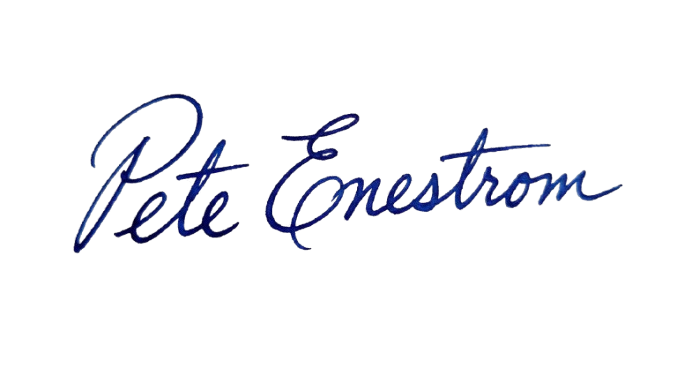
Written by Pete Enestrom
Yale & Columbia, ex-Microsoft & Intel · 1-on-1 AI coaching for executives

Your coach’s background
For a small nonprofit, the honest description of AI is this: a fast junior writer that lives in a chat window. You give the tool your program facts, your donor context, and the tone you want, and it gives back a working draft in seconds. There is nothing to install, nothing to code, and nothing in the budget to approve—the free plans from ChatGPT and Claude both run everything in this guide (see Anthropic's pricing page for the free tier). Whether you arrived searching ai for nonprofits, ai tools for nonprofits, or ai for fundraising, the question underneath is the same—which parts of my week can this take off my desk?
The answer is the writing-heavy, repeatable parts of nonprofit work: the grant narratives, the donor appeals, the thank-you letters, the board reports, and the program-data summaries that funders ask for. This guide walks through each one with the exact prompts I hand to the nonprofit leaders I coach—executive directors and development directors at small organizations, not tech enthusiasts. Grant writing gets its own section below, because that is where most small teams feel the hours come back first.
What can AI actually do for a small nonprofit in week one?
In week one, AI gives a small nonprofit first drafts of the words the mission demands all week long. The year-end appeal to past donors, the thank-you letter that should have gone out Tuesday, the narrative section of the grant due Friday, the program summary for the board packet—each of these starts as a blank page, and AI removes the blank page. The draft is never the finished product, because the nonprofit still supplies what only the nonprofit has: real program data, real donor relationships, and judgment about what should and should not be said. What the tool hands back is time. The development directors I coach describe the first month the same way—the drafting that used to swallow two evenings a week takes an afternoon, and the recovered hours go back into donors and programs.
Week one is also the right time to learn what AI is not. For a nonprofit, AI is a writing and thinking partner, not a database and not a fundraiser. The tool has no access to your donor CRM, does not know what your programs accomplished last year, and does not know what a given funder cares about—unless you paste that material into the prompt. A team that asks AI for statistics about its own community will get confident-sounding numbers that may be invented, and in a grant proposal an invented number can end the relationship. The working rule I give every nonprofit leader is simple. Facts go into the prompt from you; facts that appear in the output get verified by you. AI for nonprofits is genuinely useful only when the drafts start from your data and end with your fact-check.
Six nonprofit prompts worth saving
These are the six prompts I teach first to every nonprofit leader I coach, starting with grant writing, because that is where the hours come back fastest. Copy the prompts verbatim, replace the brackets with your own material, and adjust the last line to taste. The prompt is the easy part; your facts and your voice make the output worth sending.
I'm the development director of a small nonprofit writing a grant proposal. Our organization: [mission, population served, annual budget size]. The program this grant would fund: [program name, what it does, who it serves, how many people, and what changed for participants last year]. The funder's exact question: [paste the question and word limit from the application]. Write a [word count]-word draft that answers the funder's question directly, leads with what changed for the people we serve, and keeps a warm, plain-spoken tone. Use only the facts I gave you—if something is missing, write [ADD] in brackets instead of inventing a number.
The [ADD] instruction is the sentence that keeps a grant draft honest—the tool flags the gaps instead of filling them with invented statistics.
Here is a grant proposal we wrote for [Funder A]: [paste]. Here are the guidelines and stated priorities for [Funder B]: [paste]. Rewrite the need statement and the program description to speak to Funder B's priorities at their word limits, without changing any of our facts or figures. Keep our organization's voice. Then list what you changed and why, so I can check the new emphasis is still accurate.
Most small teams rewrite the same proposal several times a year. This is where the hours come back—and the “list what you changed” line keeps you in control of the emphasis.
I'm the executive director of [type of organization—e.g., a community food pantry]. Write a year-end appeal email to past donors. Last year our donors made [concrete outcome—e.g., 40,000 meals] possible. This year's appeal funds [specific need]. One short story, one ask, one deadline: [date]. Suggested amounts tied to what each amount makes possible: [$25 = X, $100 = Y]. Under 250 words, warm and direct, no guilt, no countdown language. Leave names and merge fields out—I'll add those in our email tool.
Keeping names out of the prompt is deliberate. Strip identifying details before anything about a donor goes into a chat window—there is a full checklist on this below.
Write three versions of a 120-word donor thank-you letter for our recent campaign: one for a first-time donor, one for a donor who has given five years in a row, and one for a donor who increased their gift this year. Each letter names what the gift makes possible—[specific outcome]—sounds like a person wrote it, and ends with an invitation to [tour, event, or newsletter]. No names and no amounts in your drafts; I'll merge those in our CRM.
Three skeletons from one prompt, and your CRM does the personalizing. The tool writes the warm paragraph you never have time for.
Here are my rough notes for this quarter's board report: [paste notes—program numbers, staffing updates, one win, one challenge]. Turn them into a one-page board update with three sections: programs, finances in plain language, and what I need from the board this quarter. Formal but readable. Wherever my notes are incomplete, flag the gap instead of guessing at a figure.
Board members remember a wrong number long after they forget a good sentence. The flagging instruction is what keeps the draft trustworthy.
Here is our program data for [reporting period]: [paste—people served, sessions held, outcomes measured]. Write the narrative section of our grant report to [funder name]: 200 words that explain what these numbers mean for the people we serve, connect them to the goals in our original proposal, and acknowledge [one area that fell short] honestly. Plain English a program officer could quote.
Program officers read stacks of these reports. An honest sentence about a shortfall builds more credibility than polished spin.
How does AI grant writing actually work?
AI grant writing is a drafting partnership, and the workflow that works is always the same three inputs. First, your program facts: what the program does, who it serves, and what changed for participants, with real numbers. Second, your existing material: past proposals, your mission language, the paragraphs you reuse every cycle. Third, the funder's exact guidelines and questions, pasted from the application. With those inputs in the prompt, AI produces a draft that answers the funder's actual question in your organization's voice. Without them, AI produces the same generic proposal everyone else gets. The hours come back in three places: first drafts stop starting from zero, one proposal gets re-cut to five different word counts in minutes, and the ten near-identical questions across applications stop eating entire weekends. That is the honest promise of AI grant writing—not better grants, but more at-bats with the same staff.
Two habits decide whether AI grant writing helps or hurts. The first is voice. A proposal that sounds like every other applicant's polished generic prose loses the thing a small nonprofit actually has—a specific community and a specific way of talking about the work—so feed the tool your past proposals and edit toward your own phrasing. The second habit is fact discipline. AI states things with total confidence whether or not a source exists, and every number in a submitted proposal needs to trace back to your program records. Some funders now ask applicants to disclose AI assistance, so read each funder's guidelines before submitting and answer honestly where the question appears. A draft the tool helped write is normal practice; a number the tool invented is a problem. Both habits take a week to build and protect every proposal after.
What to keep out of the chat window
One short list to print and pin above the shared desk. Treat anything pasted into an AI tool as shared with an outside vendor—because that is what it is. The privacy guide on this site goes deeper; this is the working version for a nonprofit team.
- Donor names, contact details, giving history, or anything that identifies an individual donor
- Client and beneficiary details—names, stories told in confidence, anything that identifies a person your programs serve
- Gift amounts tied to identifiable people, prospect research, and wealth-screening notes
- Personnel matters, salaries, and anything your HR confidentiality rules cover
- Login credentials, donor database exports, or documents from your shared drive
- Anything your organization's written policy has not cleared
The mistakes I see nonprofit teams make with AI
After coaching nonprofit leaders through their first months with these tools, the failure modes are remarkably consistent. None of them are about the technology—they are habits, and every one of them is fixable in a week.
- One-line prompts. “Write a grant proposal” gets generic prose. The program facts, the funder's priorities, and your voice are the brief—and the brief is the work.
- Sending the first draft. The edit conversation—“shorter,” “less formal,” “the second paragraph overstates our reach”—is where the quality lives.
- Pasting donor data. Names, giving histories, and beneficiary stories do not belong in a chat window. Describe segments and situations, never identities.
- Trusting its numbers. AI will state a statistic with total confidence and no source. In a grant proposal, one invented figure can end the conversation. Verify everything factual before anyone else sees it.
- Letting every appeal sound the same. Left alone, AI drifts toward one polished, generic voice. Feed the tool your past appeals and insist on your phrasing, or your donors will feel the difference before you do.
Does a small nonprofit need an AI policy?
Yes, a small nonprofit needs an AI policy—one page, not a binder. The policy answers four questions: which AI tools staff and volunteers may use for organization work, what information never goes into those tools, who reviews public-facing drafts before they ship, and how the organization answers when a funder asks about AI use. An executive director can draft the page in an afternoon, and the AI usage policy template on this site is a working starting point. Bringing the board the policy before anyone asks turns ambient anxiety into ordinary governance, and once the rule is written down—donor identities and beneficiary details never go into a chat window—the newest program coordinator and the busiest development director are held to the same standard. Small nonprofits run on trust; a one-page policy is how that trust survives a new tool. Review it once a year, alongside the other risk policies.
Where does 1-on-1 coaching fit?
Everything in this guide, a nonprofit team can do alone this month, for free. Self-teaching works, and most teams should spend their first month doing exactly that. The ceiling usually appears around month two: the generic prompts are running, and the real question becomes which of your workflows—the grant calendar, the donor communication cadence, the board reporting rhythm—should be rebuilt around these tools, and in what order. That question is specific to your organization's mission, staff capacity, and funder mix, and generic answers stop helping.
That is the point where working 1-on-1 with a human teacher earns its keep. I coach nonprofit leaders remotely, over video, with teams across the US. In a session we open your actual grant calendar and your real donor letters, and we build the prompts and habits around your voice, your funders, and your capacity—not a generic playbook borrowed from the internet. This guide is the map. Coaching is walking it together, on your proposals, with your next appeal as the homework.
1-on-1 coaching
See it on your actual workload.
Bring the work you did this week. We'll build the workflows on it together, live.

Your coach
Coached by Pete Enestrom
Yale and Columbia grad, former Microsoft and Intel, and a venture-backed exited founder. Pete has spent the last four and a half years going deep on every major AI tool, and he teaches the way operators learn: on your real work, at your pace, with nothing assumed.
Common questions
Straight answers, the way I'd give them across a table.
Yes. ChatGPT has a free plan at chatgpt.com, and the free plan is enough to run every prompt in this guide—Claude's free plan works the same way. Paid plans raise usage limits and respond more reliably at busy times; most nonprofit leaders I coach upgrade only after hitting the free plan's limits for a few weeks, once they know exactly what they are paying for. Some AI vendors also advertise nonprofit pricing, but a small team should start free and let real usage make the case.
AI writes strong first drafts of grant proposals when the prompt contains three things: your program facts and real numbers, your existing proposal language, and the funder's exact questions and word limits. What AI cannot do is know your programs or your funders, so every figure in the final proposal must come from your records, and the voice must be edited toward your organization's own. AI grant writing is a drafting partnership—the tool removes the blank page, and the development director keeps the accuracy, the funder relationships, and the final judgment.
With judgment. Treat anything pasted into an AI tool as shared with an outside vendor—Anthropic's privacy policy spells out how Claude handles pasted content, and the other vendors' terms are similar in shape. It is fine for public material, past appeals, and drafts with names stripped out; not for donor identities, giving histories, prospect research, or beneficiary details. A simple habit covers most cases—describe the donor segment in general terms inside the prompt, then add names and amounts back into the final letter inside your CRM. This is general practice guidance, not legal advice; organizations working with health or client data should also check the specific rules that govern their programs.
ChatGPT and Claude are both capable general-purpose assistants, and the skill transfers almost completely between them. ChatGPT is the better-known generalist; Claude is the tool I start most of my coaching clients on for long documents like grant narratives, and there is a full guide to Claude elsewhere on this site. The honest answer is that the gap between the tools is smaller than the gap between a team that uses one of them daily and a team that never starts. Pick one, run your real workload through it for a month, and then form an opinion.
Read each funder's current guidelines, because practices differ and the question is moving quickly. Some funders now ask applicants to disclose AI assistance directly on the application; where the question appears, answer it honestly and briefly. Where a funder does not ask, using AI as a drafting tool on your own material is ordinary practice, in the same category as a grammar checker or a freelance editor. What makes a proposal yours is accurate data and an authentic voice—both stay your responsibility either way.
One page is enough for a small nonprofit, and the page should answer four questions: which AI tools staff and volunteers may use for organization work, what information never goes into those tools—donor identities and beneficiary details top the list—who reviews public-facing drafts before they ship, and how the organization answers funder questions about AI use. The AI usage policy template on this site is a working starting point. Put the policy in front of the board once a year, alongside the other risk policies, and update it as the tools and funder expectations change.
Keep reading
Resource
ChatGPT Privacy, in Plain English: What Really Happens to What You Paste
ChatGPT privacy in plain English for business owners: what happens to what you paste, the real risks, the settings to check today, and rules to hand your team.
ReadResource
AI Use Policy: A Practical Template Your Team Will Actually Follow
A plain-English AI usage policy template for business owners: what a policy should cover, ten copy-ready clauses, and how to roll it out in one team meeting.
ReadGuide
ChatGPT for Beginners: A Plain-English Guide for People Who Run Companies
A plain-English guide to ChatGPT for beginners: set up free in seconds, have your first real conversation on a task from this week, and learn the habits that stick.
ReadGuide
How to Use Claude: A Practical Guide for Busy Executives
A plain-English guide to Claude for founders and executives: what it is, how to start in ten minutes, and five real workflows with copy-paste prompts.
ReadBeyond coaching
When the workflow needs to be encoded, not just learned — that's what our team at Zaigo builds.