A Three-Way AI Comparison for Business
Claude vs ChatGPT vs Gemini: A Field Guide for Non-Technical Executives
Claude vs ChatGPT vs Gemini, in one paragraph: all three are capable general-purpose AI assistants, and for most executive work the gap between the tools is smaller than the gap between people who use one daily and people who never open one. Claude reads long documents well, ChatGPT has the widest ecosystem, and Gemini lives inside Google Workspace.
1-on-1 with Pete Enestrom, on your actual work

Written by Pete Enestrom
Yale & Columbia, ex-Microsoft & Intel · 1-on-1 AI coaching for executives

Your coach’s background
This page exists because of how the question actually arrives. The executives I coach rarely ask “is Claude good?” They ask some version of “Claude vs ChatGPT vs Gemini—which one should I be using?” Most comparisons online are written by technology reviewers for technology readers, scored to two decimal places. This one is written for the founder or CEO of a $20–500M company who wants a calm, honest answer and a way to test that answer in a week.
A note on my position before the comparison: I teach all three of these tools. I coach founders and executives over video across the US, and my job is fluency, not allegiance—no vendor pays me, and I do not care which of the three you choose. That makes this a field guide, not a verdict. What follows is what each tool is genuinely good at on real executive work, a one-week method for testing them yourself, and the honest truth about how much the choice matters.
What is each tool genuinely good at on real work?
Capabilities shift every few months, but each tool's character has been stable for years. These three paragraphs are the whole comparison in miniature—each one is self-contained, so skip straight to the tool you are curious about.
Claude is Anthropic's AI assistant, and Claude's genuine strength is long documents. An executive can paste an eighty-page board pack, a full contract, or a year of meeting notes into Claude and get a summary that reflects the whole document, not just the opening pages. Claude's writing style is the second strength: measured, plain, and close to how a careful person writes, which is why many executives I coach prefer Claude for drafting board papers, sensitive emails, and speeches. Claude also tends to say when it is unsure rather than guessing with confidence, a habit that matters when the output feeds a real decision. The honest limitation: Claude's ecosystem of add-ons and integrations is smaller than ChatGPT's, so an executive who wants an AI assistant wired into many other apps will find fewer ready-made connections. Claude runs at claude.ai, with a capable free tier and a paid plan for heavier use (see Claude's pricing page).
ChatGPT is OpenAI's AI assistant, and ChatGPT's genuine strength is its ecosystem. ChatGPT was the first of the three tools to reach most offices, so ChatGPT has the widest library of add-ons and custom bots, the most third-party integrations, and the largest pool of colleagues, tutorials, and courses an executive can lean on when stuck. As a worker, ChatGPT is the strongest all-rounder of the three: quick drafts, brainstorming, spreadsheet and data questions, image generation, and general question-answering are all solid. If a leadership team is already using an AI tool informally, that tool is usually ChatGPT, and there is real value in standardizing on the tool people already open. The honest limitation: ChatGPT's default answers can read as generic until the user supplies real context, and long-document work has historically been Claude's stronger suit. ChatGPT runs at chatgpt.com, with a free tier and paid plans above it (see OpenAI's ChatGPT pricing page).
Gemini is Google's AI assistant, and Gemini's genuine strength is the Google connection. Gemini lives inside Gmail, Google Docs, Google Drive, and the rest of Google Workspace, so an executive whose company runs on Google can ask Gemini to summarize a long email thread, draft a reply, or pull together information from documents without copying anything into a separate app. Gemini is also comfortable with images and formats beyond plain text, and Gemini handles very long inputs well. For a company that lives in Google Workspace, Gemini removes the most friction: the AI assistant is already where the work is. The honest limitation: for a company that runs on Microsoft 365 or a mix of tools, Gemini's home-field advantage mostly disappears, and Gemini becomes one capable option among three rather than the obvious one. Gemini has a free tier through any Google account, with paid plans that unlock the deeper Workspace features (see Google's Gemini subscriptions page).
How do Claude, ChatGPT, and Gemini compare side by side?
Same information, card form—the strength I would hand each tool on a real executive workload, plus the weakness nobody mentions in the launch video.
Claude
- Reads long documents properly: board packs, contracts, a year of notes.
- Drafts in a measured, plain style that needs the fewest edits for formal business writing.
- Says when it is unsure instead of guessing with confidence.
- Smaller ecosystem of add-ons and integrations than ChatGPT.
ChatGPT
- The strongest all-rounder: drafts, analysis, spreadsheets, images, quick questions.
- Widest ecosystem of add-ons, integrations, tutorials, and colleagues who already use it.
- Usually the tool a team has already adopted informally—standardizing beats converting.
- Default answers can read as generic until you supply real context.
Gemini
- Lives inside Gmail, Docs, and Drive—AI where the work already lives for a Google Workspace company.
- Comfortable with images and formats beyond plain text, and handles very long inputs.
- No copying documents into a separate app for a Google-based team.
- The advantage fades if your company runs on Microsoft 365 or a mixed stack.
How do you test all three tools in one week?
Do not ask the tools trivia to “test” them. Take three real tasks from your actual week, run the identical prompt in Claude, ChatGPT, and Gemini, and compare the answers side by side. The free tiers are enough. These are the three tests I give every client—copy the prompts verbatim and replace the brackets with your material.
I've pasted a document below that I need to understand before a meeting this week. [paste the full document] Summarize it in five bullet points, then list the three things in it I should question or push back on. Plain English, no jargon.
Use your longest real document—the 60-page report, not a two-paragraph memo. Long inputs are where the tools differ most visibly.
Here is an email I wrote recently: [paste one of your own emails]. Now draft a reply to this new message in the same tone and length: [paste the message you owe a reply]. No corporate speak, no “I hope this finds you well.”
Give each tool the identical pair of emails. The draft that needs the fewest edits wins this round.
I'm weighing a decision: [describe the decision in two or three sentences]. Before you give an opinion, ask me the five questions a good advisor would ask. Then give me your honest take, including the strongest argument against the direction I'm leaning.
This tests whether the tool thinks with you or simply agrees with you. Run it on a decision you genuinely have not made yet.
Does the choice matter as much as the habit?
Here is the honest position I have come to after coaching executives on all three tools: the gap between Claude, ChatGPT, and Gemini is smaller than the gap between executives who use one of them daily and executives who use none of them at all. All three summarize competently, draft competently, and reason competently. The tools also leapfrog each other every few months—whichever assistant won a comparison in March may trail by summer—which is why this page compares model families and never version numbers. An executive who picks any of the three and builds a daily habit will be measurably further along in six months than the one still reading comparisons. I can say this cleanly because I have no stake in the answer: I teach all three tools, over video, to clients across the US, and no vendor pays me.
The choice does matter at the edges. A company that runs on Google Workspace gets real, daily convenience from Gemini. An executive whose work is reading and writing long documents will feel Claude's strength within the first hour. A team already passing around ChatGPT answers should standardize on ChatGPT rather than fight the installed base. Two adjacent comparisons also deserve their own pages rather than a paragraph here: if the real question is research-style answers with cited sources versus a general assistant, my Perplexity vs ChatGPT page covers that pair, and if the field has narrowed to Anthropic's tool versus Google's, my Claude vs Gemini page goes deeper on that head-to-head.
How do you pick one and start this week?
A short decision process for a busy executive. The whole thing takes one week of ten-minute sessions, most of it on free tiers.
- Check what your company already runs on. A Google Workspace company should include Gemini by default; a team already passing around ChatGPT links has already voted—start there.
- Pick one real, recurring task as your test case: the weekly summary you owe investors, the board pre-read, the proposal section. One task, all three tools.
- Use the free tiers for the test week. Free plans are genuinely enough to compare answer quality; pay only after you have picked a winner.
- Judge the answers on your desk, not the demos online. Vendor launch videos are polished; your Tuesday-afternoon task is the truth.
- Give the winner two honest weeks. Open it every working day, on real work, before concluding anything about it.
- Cancel the rest. One tool used daily beats three subscriptions that never get opened.
What actually moves the needle?
The pattern across the executives I coach is consistent: the ones whose work has genuinely changed are not the ones who picked the perfect tool. They are the ones who picked a good tool and opened it every day on real work—the actual board pack, the actual customer email, the actual decision. Fluency transfers. An executive who learns to brief well, push back on a first draft, and iterate to a final version in one tool can carry those skills to any of the three in an afternoon. That transferable skill is the real asset, and it is why I teach fluency rather than button-pushing—I wrote about the skill itself on my AI fluency page.
If you want to compress the learning curve, that is the work I do: 1-on-1 coaching over video with founders and executives across the US—a human teacher, not an AI coach bot—working on your real documents inside whichever of the three tools fits your company. The booking link below is the fastest way to start. And if your question has already moved past learning the tools into reworking how the business runs on them, that is a different engagement, and the note at the bottom of this page points to it.
1-on-1 coaching
Get the guardrails—and the training—right.
A policy nobody understands protects no one. We'll set the rules and teach your people to work well inside them.

Your coach
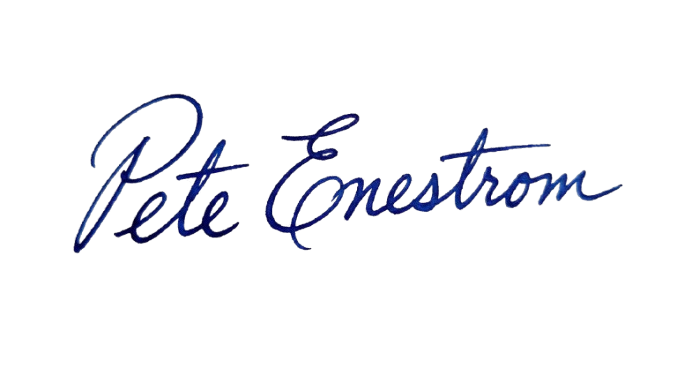
Coached by Pete Enestrom
Yale and Columbia grad, former Microsoft and Intel, and a venture-backed exited founder. Pete has spent the last four and a half years going deep on every major AI tool, and he teaches the way operators learn: on your real work, at your pace, with nothing assumed.
Common questions
Straight answers, the way I'd give them across a table.
No single tool is better overall; each of the three has a genuine strength. Claude is strongest with long documents and careful, measured writing. ChatGPT is the strongest all-rounder and has the widest ecosystem of add-ons, integrations, and people who can help you. Gemini's strength is its connection to Google Workspace—Gmail, Docs, and Drive—so a company that runs on Google gets AI assistance where the work already lives. For most executive work the three are close enough that the habit of daily use matters more than the choice between them. Pick the one closest to your existing workflow, test all three on one real task if you want evidence, and commit to one for a few weeks before judging.
For long or careful writing, many executives I coach prefer Claude's drafts: Claude's style runs measured and plain, and Claude reads long source documents thoroughly before summarizing them. ChatGPT's writing is solid for everyday drafts and improves significantly when the prompt includes real context—an audience, a sample of your own writing, a clear instruction about tone. The honest answer is that both are good enough that the gap between them is smaller than the gap a good brief makes. The practical test costs nothing: take one real piece of writing you owe someone, run the identical prompt in both tools, and keep the draft that needs fewer edits.
No. Claude, ChatGPT, and Gemini all have free tiers, and the free tiers are enough to run a serious comparison: paste the same long document into each, give each the same drafting task, and compare the answers side by side. Paid plans add room—more usage, longer documents, extra features—but each tool's character is visible on the free plan. Pay for a month of one tool only after a test week has picked a winner, and cancel the experiment accounts you are not using. Three unused subscriptions is a common outcome of skipping this step.
Learn the one closest to your existing workflow. If your company runs on Google Workspace, start with Gemini, because Gemini already lives inside Gmail and Docs. If your team already passes around ChatGPT answers, start with ChatGPT, because standardizing on the tool people already open is easier than converting them to a new one. If your daily work is reading and writing long documents, start with Claude. If none of those applies, start with whichever name you have heard most—the specific choice matters far less than beginning. Ten minutes a day on real work in any of the three teaches more than a month of reading comparisons.
Yes, and many executives I coach end up with a primary tool plus an occasional specialist. A common pattern is one tool for daily work—the one whose habits you have built—and a second for its particular strength, such as keeping Claude around for long documents even when ChatGPT is the daily driver. The arrangement to avoid is three paid subscriptions that all go unopened. Start with one, build the daily habit on real work for a few weeks, and add a second only when a specific, recurring need pulls you there.
Claude, ChatGPT, and Gemini leapfrog each other every few months, so any comparison based on this quarter's model versions will be stale soon. Two things stay stable enough to choose on: each tool's character—Claude's careful writing, ChatGPT's ecosystem, Gemini's Google integration—and your own company's workflow. Choose on fit, build the habit, and re-check the landscape once or twice a year rather than chasing every release. Switching tools is cheap in money but expensive in habit, so switch only when a new capability solves a recurring problem your current tool genuinely cannot handle.
Keep reading
Resource
Perplexity vs ChatGPT: What Each One Is Actually For
Perplexity vs ChatGPT, explained for executives: what each tool is actually for, when to use which on real work, what the plans cost, and which to learn first.
ReadResource
Claude vs Gemini: An Honest Comparison for Executives Choosing One
Claude vs Gemini for executives: where Claude wins on writing and long documents, where Gemini wins on Workspace and live data, and how to choose.
ReadResource
ChatGPT Competitors in Plain English: Which Tool for Which Job
ChatGPT competitors explained in plain English for business owners: what Claude, Gemini, Perplexity, and Copilot each do, which jobs they fit, and how to choose.
ReadGuide
How to Use Claude: A Practical Guide for Busy Executives
A plain-English guide to Claude for founders and executives: what it is, how to start in ten minutes, and five real workflows with copy-paste prompts.
ReadBeyond coaching
When the workflow needs to be encoded, not just learned — that's what our team at Zaigo builds.